Turn a 2D floor plan into a 3D house
FlatCad draws floor plans to scale in 2D. FlatCad 3D turns that drawing into a 3D house: the plan lies on the ground, you extrude walls and floors from it with a click, and the Render button makes realistic pictures, a spin video or a walk-through at eye height. All free, in the browser.
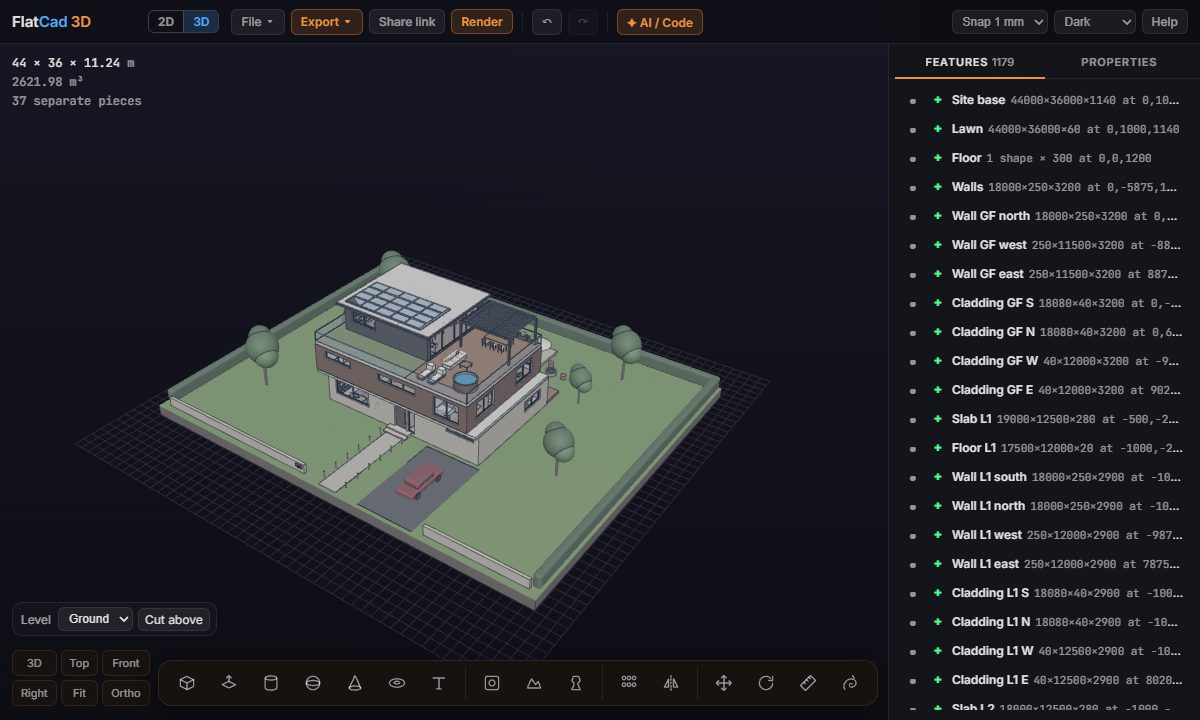
From plan to house
Draw the plan in FlatCad, in metres. The floor plan guide covers walls, doors and dimensions.
Click 3D at the top of FlatCad. FlatCad 3D opens with your drawing lying on the ground, its layers listed in a small panel.
Extrude the walls. Click Extrude area, set the height (2700 mm, say) and click inside each wall outline. Any closed shape of the drawing extrudes the same way: floors, a terrace, a pool to cut down.
Or trace it. Press B for Box: the drawing's corners, midpoints and crossings snap, so you can draw a wall or a slab right over its lines.
Add the rest. Push a box into a wall to cut a window or door. Copy a storey up with Move (M, Ctrl to copy), and give pieces colours in Properties.
Render it
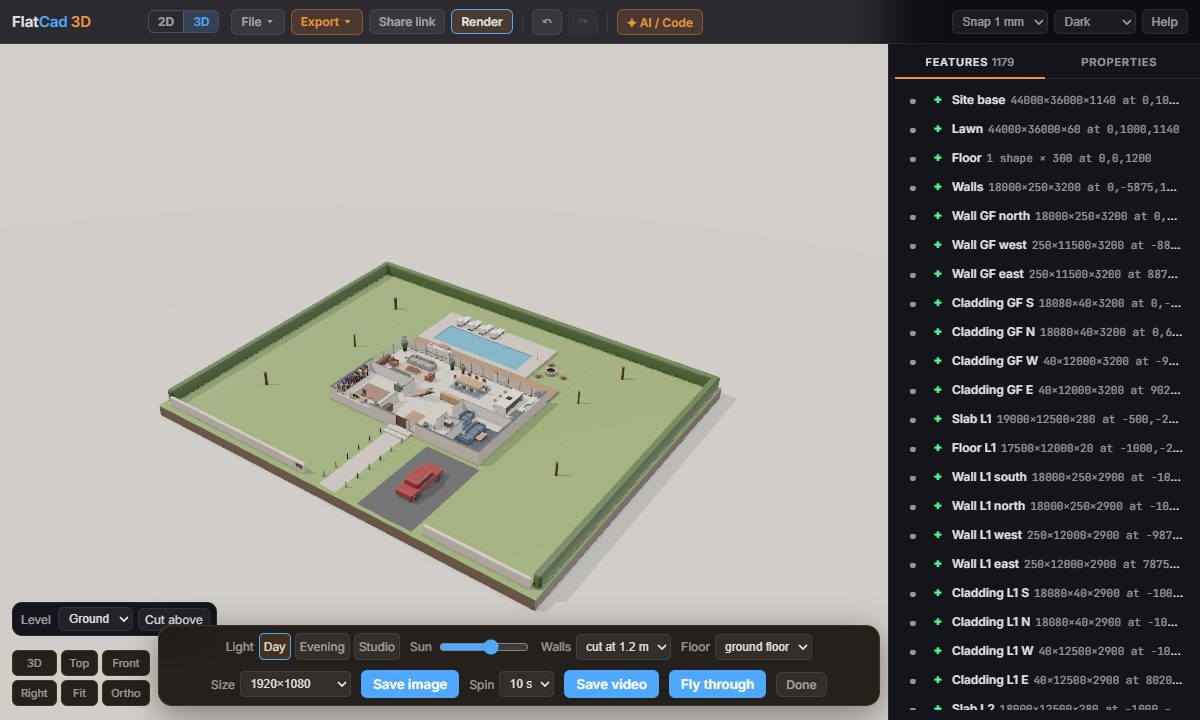
- Light: day, evening or studio, and where the sun comes from.
- Walls: full height, or cut at a height to see the rooms from above, like a dollhouse.
- Save image up to 4K, Save video going once around the house, and Fly through: a video walking room to room at eye height.
Print a model of it
Export → STL or 3MF with a scale of 1:100 or 1:50 to print a physical model of the house for a client or a planning meeting.
Open FlatCad 3D, free, no signup
Questions
Do I need Blender or SketchUp?
No. The plan goes straight from FlatCad 2D to FlatCad 3D in the same browser, and FlatCad 3D renders pictures and videos itself. If you'd rather use Blender, the floor plan guide also shows that way.
Can I use a DXF floor plan from somewhere else?
Yes. Open the DXF in FlatCad 2D first (it keeps the layers), then click 3D to bring it over.
Can I 3D print the house?
Yes. Export → STL or 3MF with a scale such as 1:100, which shrinks a 12 m house to 120 mm.
Does it do more than one storey?
Yes. Stack floors and walls for each storey; the render's Floor menu looks into one storey at a time, and the walk-through goes through every one.