Designing a print-in-place gear bearing that actually turns
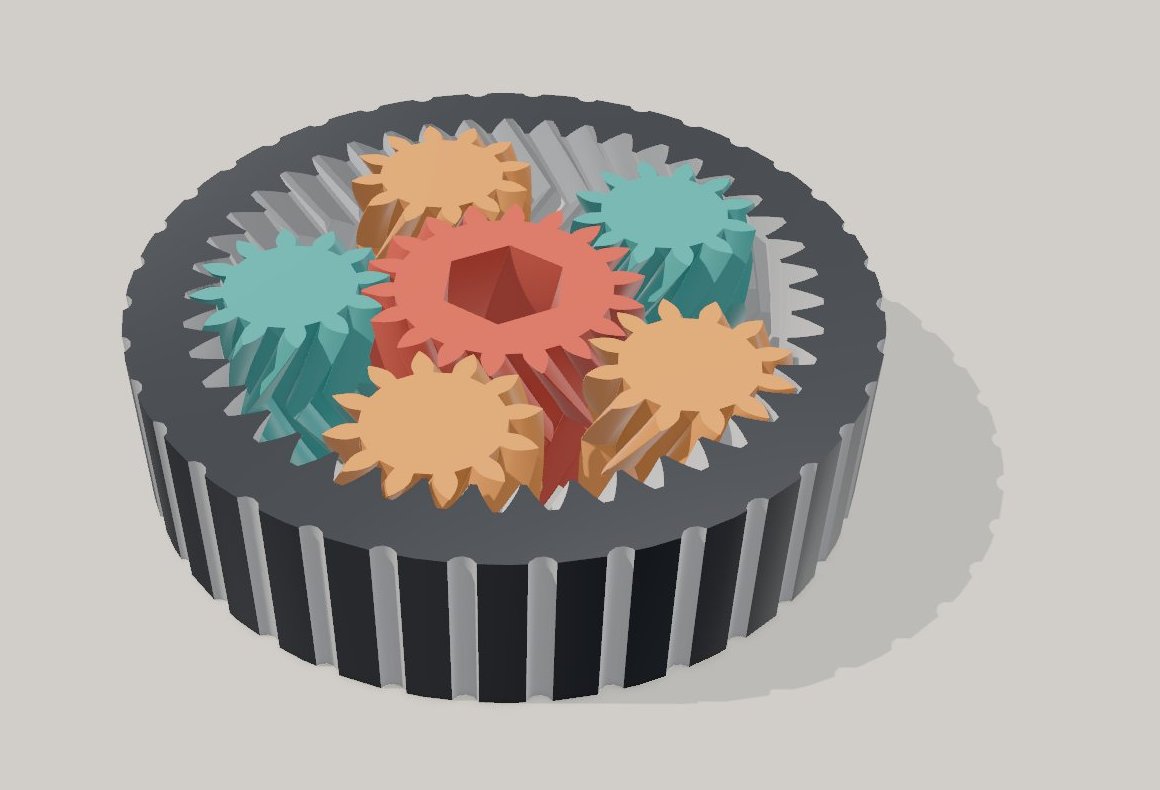
A gear bearing is a planetary gear set that prints in one piece: an outer ring with internal teeth, a sun gear in the middle and planets between them, all printed flat and already meshing. Turn the sun with a hex key and the planets roll round inside the ring. The tooth counts came first and the herringbone teeth second. Most of this write-up, though, is about the arithmetic that turns a backlash setting into the actual gap between teeth, which I checked in FlatCad 3D's geometry engine at ten positions through the motion.
The numbers at a glance
| Part | Teeth | Pitch diameter | Tip diameter |
|---|---|---|---|
| Sun | 18 | 22.5 mm | 25 mm |
| Planets (5) | 12 | 15 mm | 17.5 mm |
| Ring (internal teeth) | 42 | 52.5 mm | 50 mm (tooth tips point inward) |
Module 1.25 mm, 25° pressure angle, 30° helix angle, 16 mm tall, 0.8 mm backlash per mesh. The planets' centres sit 18.75 mm from the axis. The ring is a Ø66 mm drum with 36 grip flutes, and the sun has a hexagonal hole 10 mm across the flats. It is 17 features in FlatCad 3D, about 35.6 cm³ of plastic.
Choosing the tooth counts
Three rules decide the numbers in a planetary set. The first is geometric. The planets must fill the space between the sun and the ring, so the ring has the sun's teeth plus two planets' worth: 18 + 2 × 12 = 42.
The second rule decides whether the planets can be evenly spaced. The sun teeth plus the ring teeth, divided by the number of planets, must come out whole: (18 + 42) ÷ 5 = 12. If it does not, the planets can only be placed at uneven angles round the sun. Four planets would also work here (60 ÷ 4 = 15), but five carry the load on more teeth.
The third is room. Neighbouring planets' centres are 22 mm apart in a straight line (the chord between two points 72° apart on the 18.75 mm circle; round the circle itself it is 23.6 mm). Their tips are 17.5 mm across, so there is 4.5 mm between neighbours. That is plenty, and it means a planet never touches another planet, only the sun and the ring.
With the ring held still, one turn of the sun moves the planets 0.3 of a turn around the axis (18 ÷ 60), while each planet spins 0.75 of a turn the other way about its own centre. That slow orbit is the satisfying part to watch.
Why 25° and not 20°
Most gears, including the default in the gear generator, use a 20° pressure angle. With 20°, a gear needs about 17 teeth before a standard tooth starts to undercut its own root (the limit is 2 ÷ sin²α). The planets in this bearing have 12. At 25°, the limit drops to about 11.2 teeth, so a 12-tooth planet gets a full, strong root, with no thin neck where the tooth meets the body.
The price of 25° is a little more force pushing the gears apart. In a bearing turned by hand, that does not matter. In printed plastic, fat tooth roots matter a lot.
The teeth are 2.81 mm deep: 1 module above the pitch circle, 1.25 below. That leaves 0.31 mm (a quarter of the module) between each tooth tip and the root of the tooth it meets.
Herringbone: the part that holds it together
Straight teeth would mesh fine, but nothing would stop a planet sliding out of the ring. Helical teeth push sideways along the axis as they turn. Herringbone teeth are two helical halves that lean opposite ways and meet in a V at mid-height, so each half's push cancels the other's. The V also locks every gear axially, because no gear can slide up or down without its teeth crashing into the V of its neighbour. The bearing comes off the bed as one moving object.
In FlatCad 3D each gear is two twisted extrudes, 8 mm each. The amount of twist comes from the 30° helix angle. Over a height h, the teeth have to move tan 30° × h along the pitch circle, so a smaller gear twists through more degrees:
| Gear | Twist per 8 mm half | Hand |
|---|---|---|
| Sun (pitch radius 11.25 mm) | 23.52° | One way |
| Planets (7.5 mm) | 35.28° | The other way |
| Ring (26.25 mm) | 10.08° | Same as the planets |
The hands follow the usual helical gear rule. Two external gears in mesh (the sun and a planet) need opposite hands. An external gear inside an internal one (a planet in the ring) needs the same hand. Get one wrong and the teeth cross each other instead of nesting. The piece count catches that straight away, because the parts fuse into fewer pieces.
The top half has to start exactly where the bottom half finishes. It sits at 8 mm, starts rotated by the bottom half's twist, and twists back by the same amount. That gives a clean V at the seam, with no step in the teeth.
Backlash is not the gap
This is the number that most often goes wrong. "Backlash" in a gear generator is measured along the pitch circle: each gear's teeth are made thinner, so there is room to rock. What keeps a print-in-place gear from fusing, though, is the smallest distance between two tooth surfaces, measured straight across. The two are far from equal:
- 0.8 mm of backlash per mesh is shared between the two flanks of a tooth space: 0.4 mm each, measured round the pitch circle.
- An involute flank meets the pitch circle at the pressure angle, so the distance straight across is 0.4 × cos 25° ≈ 0.36 mm.
- The teeth also lean at the 30° helix angle, which cuts it again: 0.36 × cos 30° ≈ 0.31 mm.
The geometry engine agrees. It splits the model into its seven pieces and measures every pair. The ring to each planet comes out at 0.31 mm, and the sun to each planet at 0.32 mm. So if you type "0.3 mm backlash" expecting a 0.3 mm gap, you get about 0.12 mm, and the bearing prints as one solid puck. To aim for a gap, divide it by about 0.39 (cos 25° × cos 30° ÷ 2) to get the backlash to enter.
Checking the gap as it turns
A gap measured in the printed pose says nothing certain about the next pose. So I rebuilt the model with the sun turned to 0, 3, 7, 11, 16, 20, 25, 33, 47 and 90 degrees, with the planets rolled to match. At each angle I counted the pieces and measured the smallest gap:
- Every pose came out as 7 separate pieces.
- The smallest gap was 0.307 to 0.308 mm at every angle.
That constant gap is the involute doing its job. Two involute flanks stay the same distance apart as they roll, which is why this tooth shape is used almost everywhere. It also means the gears turn without tight spots, as long as the print matches the model.
Things to watch on the print
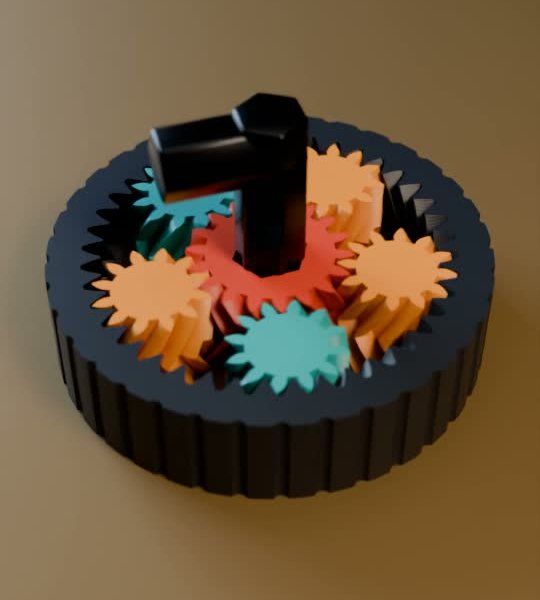
The first layer. Everything stands on the bed, so there are no parts printed over air. The risk is at the bottom instead. A first layer squashed wider than designed (elephant's foot) can bridge a 0.31 mm gap all the way round the bottom edge. If your printer tends to do this, turn on elephant's foot compensation in the slicer, or raise the first-layer height a little.
The hex hole. The hole is exactly 10.0 mm across the flats, the same as a 10 mm key. Printed holes come out slightly small, so a 10 mm key will be tight or will not fit. For a slip fit, make the hole about 10.3 to 10.4 mm across the flats, or file it out.
Small teeth. At module 1.25 the teeth are under 3 mm deep. Stay with a 0.4 mm nozzle and 0.2 mm layers or finer. A 0.6 mm nozzle rounds the tips off too much.
I have checked this design in the geometry engine but have not printed it myself yet. Treat the settings below as a starting point:
- Flat on the bed, no supports, no brim (a brim fills the gaps at the bottom edge).
- 0.2 mm layers or finer; 3 walls; 15 to 20% infill.
- PLA or PETG. If it comes off the bed stiff, hold the ring and work the sun back and forth with the key until it frees up.
Building it in FlatCad 3D
FlatCad 3D does not have a gear tool, but you can bring the tooth outlines from the 2D gear generator:
Make the outlines. In the gear generator, set module 1.25 and 25°. Make an 18-tooth and a 12-tooth gear with backlash 0.8 (the generator thins each gear by half of it, as my model does). Then make a 42-tooth gear with backlash 0 and no bore, to use as the ring's cutter.
One gear at a time. Press Open in FlatCad, keep a single gear in the drawing (for the cutter, use Offset to grow it outward by about 0.2 mm first, which gives the ring its share of the backlash and some tip clearance), and click 3D. The drawing arrives centred, so that gear sits on the origin.
Extrude and twist it on the origin. Use Extrude area with a height of 8 mm and set Twist ° in Properties: 23.52 for the sun, −35.28 for a planet, −10.08 for the cutter. Twist turns a shape about the origin, which is why this step comes before anything is moved: a gear twisted away from the origin swirls round the axis instead of twisting in place. Duplicate it, raise the copy 8 mm, and give the copy a rotation equal to the twist and a twist of minus that. That is the top half.
The ring. A Cylinder Ø66 × 16, with the two cutter halves set to Cut. Make each cutter half 1 mm longer (9 mm, twisting 11.34°), starting 1 mm below the bottom face and ending 1 mm above the top: a cut that stops exactly at a face can leave a paper-thin skin.
Phase the teeth. With a sun tooth pointing along +X (check in Top view), turn both halves of the planet by half a tooth, 15°, and the ring cutter by half of its tooth, 4.29°. Then copy the planet with Move to five places at 72° steps round the 18.75 mm circle, starting on +X. Because 60 ÷ 5 is a whole number, the same 15° works for all five.
Check that the stats in the corner read 7 separate pieces. Fewer means something touches. Hide features one at a time to find it; the usual cause is a twist with the wrong sign.
The hex hole is an Extrude of a hexagon set to Cut, or a Sketch on the sun's top face pushed through. The grip flutes are one Ø2.4 mm cylinder set to Cut with its centre 33.5 mm from the axis, repeated 36 times with a circular Pattern.
Same idea, different mechanism: the print-in-place cryptex uses 0.45 mm gaps and a lock test in the same engine. For flat gears cut on a laser instead, start with the gear generator and its notes on backlash in wood and acrylic.
Open FlatCad 3D, free, no signup
Questions
Why do the gears not fall apart?
Herringbone teeth. Each gear's teeth bend one way in the bottom half and the other way in the top half, so a planet cannot slide up or down out of its mesh. The whole bearing comes off the bed as one moving part, with nothing to assemble.
Can I use straight spur teeth instead?
Yes, they mesh just as well and are easier to model, but nothing then holds the planets in. They will slide out of the ring the first time it is tipped. You would need a lid or flanges on the planets.
The bearing printed solid. What now?
First check the bottom edges: a squashed first layer bridges the 0.3 mm gaps more often than anything else. If the bottom is clean and it is still stuck, increase the backlash (1.0 mm per mesh gives a gap of about 0.39 mm) and print again.